How to Restore Deleted CCTV Footage? While the world advances in technology, people get access to tools that are considered smarter for personal and business use. CCTVs come in handy as they help to provide unwavering monitoring to personal and business premises.
They are therefore modern antitheft tools that everyone wants to install in their premises. However, they also face challenges with data loss and you must be prepared to face them to ensure you are getting the best from your CCTV installation.
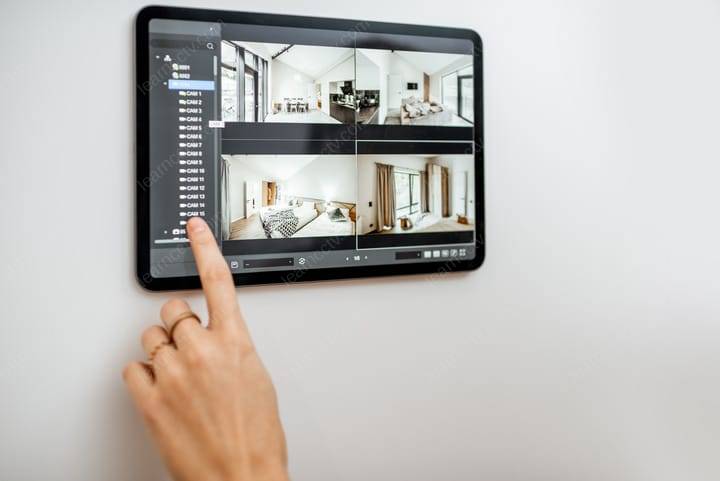
If you ever accidentally delete CCTV footage or lose them by chance, you should never lose hope. This is because there are several methods to regain deleted CCTV footage just like there are methods to recover deleted files from other storage devices.
In this article, we will show you some of the top methods to use in case you lost CCTV files and need to recover them. We will also show you how to recover deleted video from CCTV with data recovery software, one of the best methods we recommend you use when in urgent need to restore lost footages.
How Are CCTV Footages Lost?
Other than deletion, which can be intentional or accidental, there are many other ways people lose CCTV footages. Just for example, your old footages could be overwritten by new ones! Other ways you can loss footage include:
It is possible to recover lost data from all the scenarios listed above including accidental deletion. However, the success depends on the timing and the tools used. Although not listed, people can also lose CCTV footage from theft! If your CCTV gadgets are not properly or safely installed, they could also become victims of theft. In that case, you may not recover recordings unless you have a backup system for all your footages.
How to Restore Deleted CCTV Footage
Ideally, there are several methods to restore deleted CCTV footage. In this section, we will show you some of these methods including how to use data recovery software to restore deleted CCTV footage. Read on and be sure to choose only the best method or one that you can perfectly execute without requiring to engage a paid up professional.
Method 1: Restore Deleted CCTV Footage from Backup
This is probably the easiest and effortless way to recover deleted CCTV footage. It just shows you how important it is to back up all your files including CCTV footages. Whether these are footages for your business premises or just home area, you must regard all the files with high importance. Backing them up regularly will demonstrate how important the videos are to you.
If you have some form of backup already, check the folders where the footage was backed up and search for the files you need. You could search by date to make your search faster and more efficient.
Remember, backup can either be local or cloud-based. If you use local backups on your personal computer, it is easier and quicker to recover them. Still, cloud backups are easier to recover too. Cloud backup is however better as it gives you timeless access to your footages regardless of your location.
Method 2: Restore Deleted CCTV Footage with Command Prompt
You may have just realized that you do not have any backups for your footages. Not the end of it at all. You can still restore your CCTV footages after accidental deletion. This time, you will use the Control Command Prompt.
To proceed with this method, follow the steps below.
Step 1: Press “Win + R” to launch and run CMD.
Step 2: In the open window, type “cmd.exe” then tap “Ok.”
Step 3: Now type “chkdsk X:/f” in the command to check for bad sectors and hit Enter. You will need to replace letter “X” with the specific drive letter for the drive with your footage.
Step 4: Type “Y” if the drive is in use and hit Enter. In case you cannot see any prompt, go to the next step.
Step 5: Run the command “attrib – h -r -s/s/dH:*-*” and hit Enter to restore deleted footage.
Method 3: Restore Deleted CCTV Footage with Data Recovery Software
If you are still not able to restore the deleted CCTV footages with command prompt, then you may need a more versatile approach. Data recovery software is a better way to restore lost files from a wide range of storage devices including CCTV.
Disk Drill by CleverFiles is one such software. It is one of the best-rated popular video recovery solutions you can trust today. Built with powerful features including quick scan and file preview, the software is trusted by many for offering the highest success rates in the market today.
Some of the top features that make it the go-to data recovery software for virtually all scenarios include:
If you want to proceed with data recovery with the best video recovery software, follow the steps below:
Step 1: Begin by downloading and installing Disk Drill on your windows computer.
Step 2: If your CCTV camera uses an SD card, connect it to the windows computer.
Step 3: Double click on Disk Drill to launch it and choose the drive with your CCTV footage from the list of available volumes.
Step 4: Tap the “search” button to start scanning for deleted videos.
Step 5: Preview the displayed results at the end of the recovery process. Disk Drill also allows you to observe progress and stop scanning when the videos you want have been identified.
Step 6: Hit the “Recover” button to restore the selected footages.
Conclusion
While it is easy to restore deleted CCTV footage, we recommend backing up all your videos so that you do not find yourself in a compromising situation next time. Also, we encourage that you use Disk Drill immediately if you lose data to ensure you always have a higher recovery chance.
.
How to Recover Deleted Files from a Dash Cam
Dash cams are very handy when it comes to recording road events. That is why it is now very common among many drivers. With the available types and models, you can easily choose suitable dash cams depending on your preferences.
However, like any other camera, they also require special attention and care to protect them from tear and wear. More importantly, you should protect them against data loss. Imagine getting yourself in an accident and you really need the video footage to defend an insurance claim only to be met with an error message – the video is nowhere to be found!
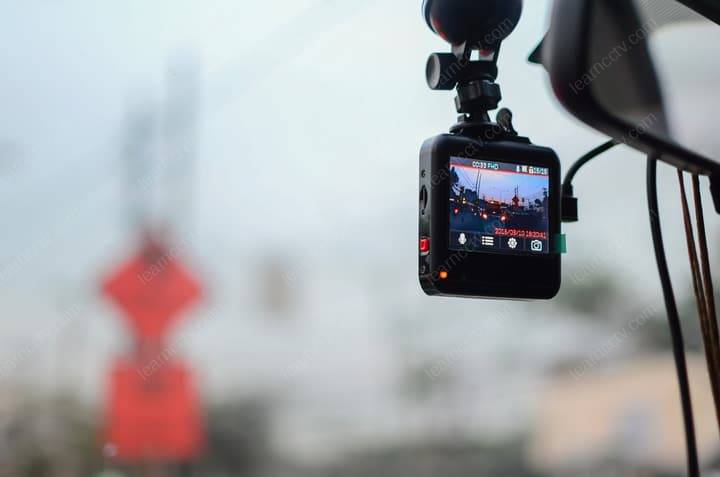
You don’t want to be part of this nightmare with lost dash cam footage. Although the process can be so complicated, the good news is that in many cases you will be able to recover deleted footage from dash cams.
We have prepared this guide to walk you through the process of recovering deleted dash cam files. We will make the process very simple and straightforward so that you have only a short time to comprehend and implement. You can also read about formatting SD card without losing your data here. Otherwise, read on to understand how to recover files from a dashcam and secure them.
How Do Dash Cams Store Footage?
Before attempting to recover deleted dash cam footage, it is important to first understand how they store video footage.
Generally, dash cams store video footage on microSD cards. The camera saves footages in a loop. This means that when the card is full, it overwrites older footage. Note that dash cams do not store footage the same way computers or phones store them.
Here, the files are split into smaller segments and the cam may store metadata separately from the video itself. This way, it may be very difficult to recover footage when lost due to any reason. This information is very crucial so that you know dash cam footage requires special care to avoid loss by whatever reason.
What Causes Lost Footage?
You might be asking yourself now – what causes lost footage? Ideally, other than accidental deletion, there are several other reasons that may lead to lost footage from dash cam. Some of these include:
Identifying the Type of Loss
Before you can begin any recovery process, it is advisable that you assess and identify the type of loss. It could be a loss caused by accidental deletion or disk corruption or other.
File corruption majorly occurs when your files are damaged or corrupted. Some of the factors that could contribute to disk corruption include a malfunctioning device or a power outage. Data recovery from such cases becomes very difficult but can still be executed using specialized data recovery software. Gross cases will require the services of a professional data recovery expert.
In this article, we focus on showing you how to recover deleted files. Accidental deletion happens when you unintentionally delete a file. There are higher chances of recovering deleted files but one must act swiftly and not wait for too long.
How to Recover Deleted Files from a Dash Cam
Method 1: Recover with In-Built Dash Cam Tools
Today, many dash cams are built with intuitive tools that support data recovery. You can easily use these tools to recover lost footage.
Look at the manual that came with your dash cam to find out if this feature is available. In some dash cams, there is an in-built file lock function. It protects important files from file overwrite or deletion making it easier to recover them. Simply unlock the file to recover lost footage.
Method 2: Recover with Software
Dash cam data recovery is also possible with data recovery software. If your cam did not come with in-built tools, try a good data recovery software. However, although there are many options available on the internet, you can only trust a few to do what they say they can do. Disk Drill is one of the best memory card recovery tool to try. With this tool, you will get quicker results and you can be sure to have the best recovery rate.
How to use it? Download and install the software on PC. Connect the dash cam or memory card to the PC. Launch the memory card recovery software and run disk scan. You will also get a preview of all your search results and can pause, continue or stop the search process midway as long as you have found what you are looking for.
Method 3: Recover with Professional Recovery services
There’s no way you are going to use Disk Drill and not get your files back. However, since you may be dealing with very crucial footage and do not want to gamble with lost videos as they can be standing in between you and a court case or even an insurance claim, we may recommend seeking professional services.
While these services can be very expensive, in some cases there is no guarantee of footage recovery either. But they are worth trying.
Whichever method you prefer to use, we recommend that you must act quickly. Do not wait too long after your footage is accidentally deleted. This is the only way you will increase the chances of your recovery.
How to Prevent Future Loss of Dash Cam Files
It is essential to regularly maintain your cam to ensure it always functions properly. You can also keep footage backups in safe storage areas just in case you lose them by accident from the dash cam. Below are some of the additional preventive measures:
.


