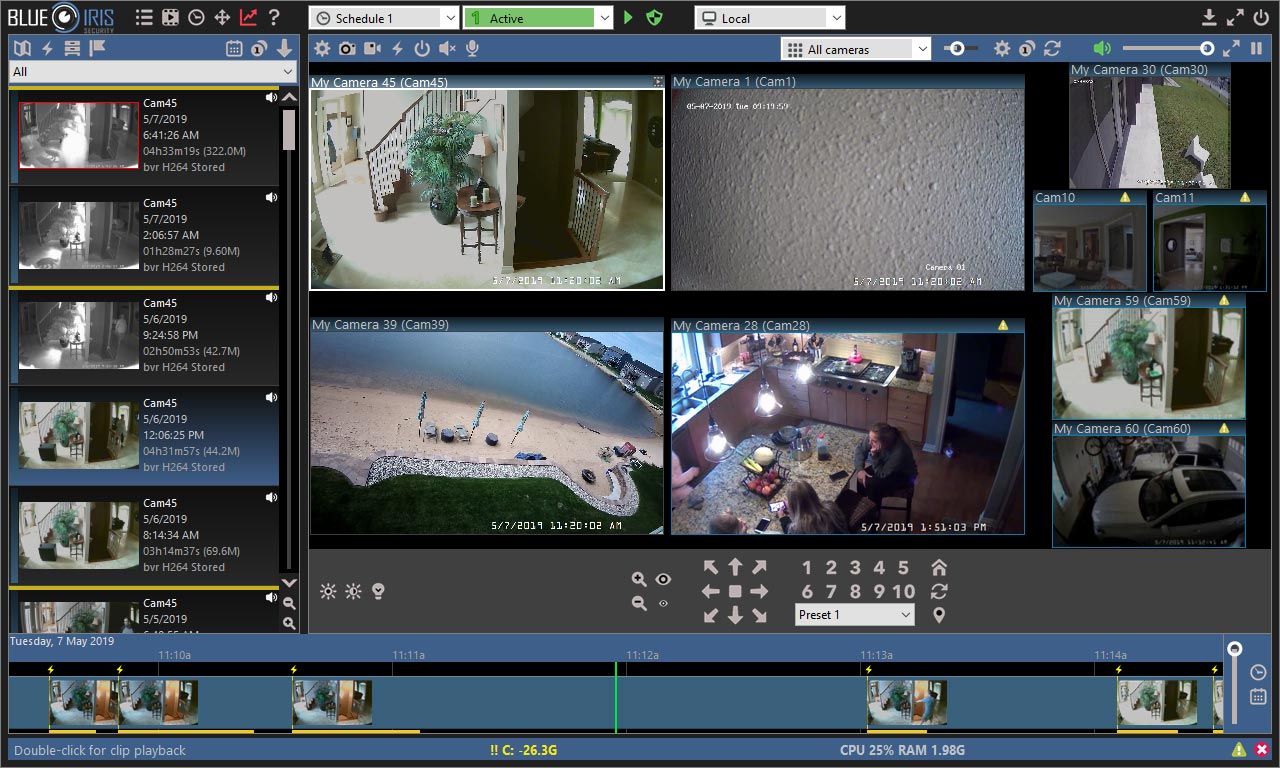
The Best CCTV Desktop Software of 2026: A Comprehensive Guide to AI-Driven Surveillance Solutions, As we navigate through 2026, the landscape of digital surveillance has undergone a radical transformation. We have officially moved past the era of “passive recording”—where footage was only reviewed after an incident occurred—into the era of proactive AI analysis.
I. Introduction: The New Era of Desktop Video Management
As we navigate through 2026, the landscape of digital surveillance has undergone a radical transformation. We have officially moved past the era of “passive recording”—where footage was only reviewed after an incident occurred—into the era of proactive AI analysis. Modern surveillance is no longer about just storing terabytes of data; it is about the software’s ability to understand that data in real-time, identifying threats before they escalate.
While mobile apps have become increasingly popular for quick check-ins, the professional-grade monitoring environment still firmly resides on the desktop. The reason is simple: processing power and screen real estate. Managing thirty 8K camera feeds while simultaneously running complex neural network algorithms requires the heavy-hitting hardware of a dedicated workstation. A smartphone screen simply cannot provide the situational awareness required for high-stakes security, nor can its mobile processor handle the concurrent AI metadata tagging that defines 2026 standards.
Our objective in this guide is to help you navigate a market that is more crowded than ever. Whether you are a homeowner looking to protect your family or an IT manager overseeing a multi-national corporation, finding software that balances high-end security, massive scalability, and intuitive ease of use is paramount. We have tested the leading contenders to bring you the definitive list of the best CCTV desktop software available today.
II. Key Criteria for Selecting CCTV Software in 2026
In 2026, the “table stakes” for Video Management Software (VMS) have shifted. If a software package doesn’t offer the following four pillars, it is already obsolete.
AI and Neural Network Integration
Simple motion detection—the kind that triggers an alert every time a spider crawls across the lens—is a thing of the past. Modern software utilizes object classification to distinguish between a human, a vehicle, an animal, or a delivery package. Furthermore, 2026 marks the rise of behavioral analytics. Leading software can now detect “loitering” (someone standing in a restricted zone for more than 30 seconds) or “fall detection” in healthcare settings, sending high-priority alerts based on context rather than movement.
Universal Compatibility
The “walled garden” approach is dying. The best software in 2026 supports ONVIF (Profile S, G, T, and M), RTSP, and the now-ubiquitous Matter-enabled security devices. This allows users to mix and match hardware from different manufacturers—using a high-end Axis thermal camera alongside a consumer-grade Reolink doorbell—all within a single unified desktop interface.
Resource Efficiency
With 8K resolution becoming the standard for high-end installations, the sheer volume of data is staggering. Efficient software must leverage AV1 and H.265+ hardware decoding. We look for solutions that utilize the GPU (NVIDIA Tensor cores or AMD AI accelerators) to handle video processing, leaving the CPU free to manage the database and system logic. Without this efficiency, even a high-end PC will stutter under the weight of a dozen high-bitrate streams.
Cybersecurity Protocols
As surveillance systems are increasingly targeted by state-sponsored actors and hackers, Zero Trust architecture is mandatory. This means the software should support end-to-end encryption for both “data at rest” (stored footage) and “data in transit” (streaming). Multi-factor authentication (MFA) and automated security patch management are no longer optional features; they are essential requirements for any professional installation.
“In 2026, the vulnerability of a security system isn’t usually the camera hardware; it’s the software’s failure to implement modern encryption standards.” — Security Systems Analyst, 2026 Global Tech Summit
III. The Top 5 CCTV Desktop Software Solutions for 2026
After rigorous testing in residential, commercial, and industrial environments, these five platforms have emerged as the leaders of the pack.
1. Blue Iris 6 (The Power User’s Choice)
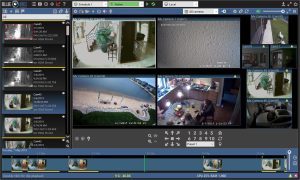
Blue Iris has long been the darling of the “prosumer” community, and version 6 cements its status. It offers a level of granularity that no other software can match. In 2026, Blue Iris 6 has integrated a new AI Macro Engine, allowing users to script complex logic (e.g., “If Person detected at Gate AND Garage Door is Open, then Play Audio Warning and Flash Floodlights”).
- Pros: Unrivaled customization, supports almost any IP camera, massive community plugin library.
- Cons: Steep learning curve; the interface can feel overwhelming for beginners.
2. Milestone XProtect (The Enterprise Gold Standard)
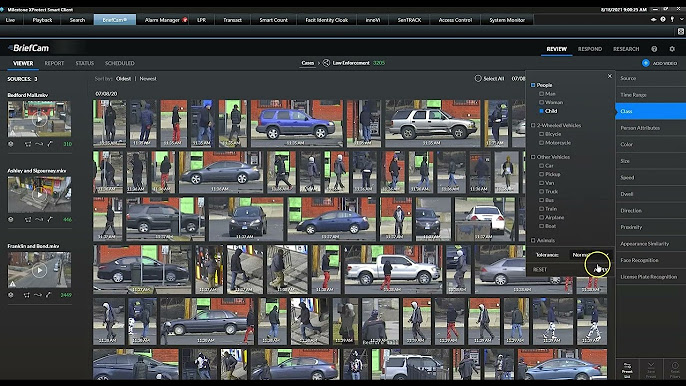
For large-scale operations, Milestone XProtect remains the undisputed king. Its modular architecture allows it to scale from a single office to a multi-site global enterprise with thousands of cameras. The 2026 update includes “Federated Architecture,” allowing a central command center to view feeds from satellite offices with near-zero latency, even on restricted bandwidth.
- Pros: Extreme scalability, rock-solid stability, excellent technical support for corporate clients.
- Cons: High cost of entry; requires a certified integrator for complex setups.
3. Digital Watchdog Spectrum (The Best UI/UX)
If you value user experience above all else, DW Spectrum is the winner. Its “Fluid” interface allows you to drag and drop cameras, resize windows on the fly, and scrub through timelines with a level of smoothness that feels like using a high-end video editor. In 2026, their “Smart Search” feature allows you to highlight an area on the screen and instantly see all movements that occurred in that specific box over the last 48 hours.
- Pros: Most intuitive interface on the market, very low resource overhead, cross-platform (Windows, Mac, Linux).
- Cons: License fees can add up for large camera counts.
4. Scrypted NVR (The Smart Home Specialist)
Scrypted has disrupted the market by focusing on the smart home ecosystem. It is the premier choice for users who want their professional cameras to show up in Apple Home (HomeKit Secure Video), Google Home, or Alexa. The 2026 desktop version provides a high-speed local NVR capability that bridges the gap between professional security and consumer convenience.
- Pros: Best-in-class integration with smart home hubs, ultra-low latency “instant-on” viewing.
- Cons: Requires some technical knowledge of “Homebridge-style” configurations.
5. Frigate AI (The Open-Source Innovator)
For the privacy-conscious user, Frigate AI is a revelation. Built on an open-source foundation, Frigate uses local AI processing (often via a Google Coral TPU or NVIDIA Jetson) to ensure that no video data ever leaves your local network. It is designed around the concept of “Real-time Object Detection,” making it incredibly fast at identifying intruders.
- Pros: 100% local and private, no monthly subscriptions, very efficient AI processing.
- Cons: Requires more hardware setup (e.g., purchasing a TPU); configuration is done via YAML files (no GUI for initial setup).
IV. Advanced Features: Moving Beyond Basic Monitoring
The best software of 2026 differentiates itself through “Forensic” and “Predictive” capabilities that were science fiction just a few years ago.
Edge Computing & Local Processing
To reduce cloud latency and bandwidth costs, 2026 software utilizes Edge Computing. The software communicates with the camera’s onboard processor to perform initial analysis. The desktop VMS then aggregates this data, only pulling the full high-resolution stream when an actual event is detected. This hybrid approach allows for massive camera arrays on standard network infrastructure.
Forensic Search Capabilities
Imagine needing to find a specific event in a month’s worth of footage. In 2026, you don’t watch the video; you search the metadata. You can type “Red SUV” or “Person with blue backpack” into the search bar, and the software will instantly pull up every clip matching those descriptors. This is made possible by the software’s ability to tag every frame with AI-generated descriptors in real-time.
Hybrid Cloud Storage
While the desktop remains the “brain,” the cloud has become the “safety net.” The best 2026 solutions offer Hybrid Cloud Storage. Critical events (like a detected break-in) are instantly uploaded to an encrypted off-site server, while 24/7 continuous recording stays on your local high-capacity hard drives. This ensures that even if a thief steals the NVR, the evidence is already safely in the cloud.
V. Hardware Requirements: Optimizing Your Workstation
Software is only as good as the hardware it runs on. To run 2026’s top-tier VMS solutions, your desktop needs specific optimizations.
- GPU Acceleration: This is non-negotiable. An NVIDIA RTX 50-series (or equivalent) is recommended for its Tensor cores, which handle the heavy lifting of AI object detection and AV1 decoding.
- Storage Strategies:
- OS/Database: Use a high-speed NVMe Gen5 SSD. The database that tracks AI events needs to be incredibly fast to allow for instant searching.
- Video Archives: Use dedicated surveillance drives like WD Purple Pro or Seagate SkyHawk AI. These are designed for 24/7 write cycles and have firmware optimized for video streaming.
- Network Infrastructure: With 8K streams, a standard Gigabit network will saturate quickly. 2026 professional setups require 2.5GbE or 10GbE networking to ensure that high-bitrate video doesn’t drop frames during critical moments.
VI. Practical Case Studies
Case Study A: The Smart Retailer
A high-end boutique in London implemented Digital Watchdog Spectrum combined with behavioral AI. By analyzing heatmaps, the owner discovered that customers were ignoring the back-left corner of the store. By moving a popular display to that area, sales increased by 18%. Additionally, the system’s “loitering alert” notified security of a known shoplifter before they even entered the premises.
Case Study B: The High-Security Residence
A homeowner used Scrypted NVR to integrate professional 4K cameras with their Apple Home setup. When the AI detected a “Person” on the perimeter after 11:00 PM, the software automatically triggered the smart landscape lighting to turn red and broadcast a pre-recorded message. The intruder fled before ever reaching the front door.
Case Study C: The Multi-Site Industrial Complex
A logistics company with three warehouses used Milestone XProtect to centralize their security. Using the “Command Center” desktop view, a single security guard was able to monitor all three locations. The software’s AI automatically flagged “unauthorized vehicle” entries across all sites, allowing the guard to focus only on genuine threats rather than staring at 100 static screens.
VII. FAQ: Frequently Asked Questions
Can I run 2026 CCTV software on an older PC?
It depends on your expectations. While you can run basic recording on an older i5 processor, you will not be able to utilize the AI features or decode high-resolution 8K streams effectively. For 2026 standards, a CPU with at least 8 cores and a dedicated AI-capable GPU is highly recommended.
Is subscription-based software better than a one-time license?
Subscription models (SaaS) usually offer better ongoing security updates and cloud integration. However, a one-time “perpetual” license (like Blue Iris) is often more cost-effective over a 5-year period. You must weigh the “Total Cost of Ownership” (TCO) against your need for the latest features.
Do I need a constant internet connection for these desktop apps?
One of the main advantages of desktop software is offline functionality. Most of the solutions listed (especially Frigate and Blue Iris) can operate 100% locally. You only need the internet for remote viewing or cloud backups.
How do I protect my CCTV feed from being hacked?
First, never use “Port Forwarding.” Instead, use a VPN (like WireGuard) or a Zero Trust Tunnel (like Cloudflare) to access your cameras remotely. Ensure your VMS software has MFA enabled and keep your cameras on a separate VLAN (Virtual Local Area Network) isolated from your main computers.
VIII. Conclusion: Future-Proofing Your Surveillance Strategy
The “Best” software is ultimately the one that fits your specific use case. To summarize our 2026 picks:
- For the Home Enthusiast: Choose Blue Iris 6 if you love to tinker, or Scrypted NVR if you want seamless smart home integration.
- For Small to Medium Businesses: Digital Watchdog Spectrum offers the perfect balance of ease-of-use and professional features.
- For Enterprise & Industrial: Milestone XProtect remains the gold standard for reliability and massive scale.
- For Privacy Advocates: Frigate AI is the clear winner for local-only, open-source AI processing.
Investing in high-quality desktop software is the most critical link in your security chain. In 2026, cameras are just the “eyes,” but the software is the “brain.” By prioritizing platforms that offer regular security patches, AI-driven analytics, and universal compatibility, you ensure that your surveillance strategy remains effective for years to come.
Ready to secure your property? Start by auditing your current hardware and choosing a software trial from the list above to experience the power of AI-driven surveillance firsthand.


