Such as 9-9
.
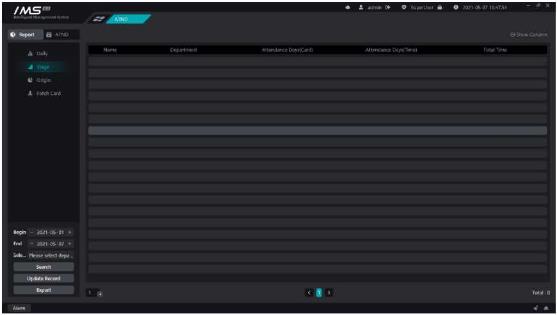
The stage summarizes the records displayed by default: name, department, number of days of attendance, and length of time to work. The name is fixed display, and other contents that can be displayed in the list can be selected by themselves. There are options: departments, personnel numbers, attendance days, working hours, actual working hours, absenteeism times, lateness times, serious lateness times, early departure times, late hours, serious late hours, early departure times, lack of cards at work, number of absenteeism cards, overtime on working days, overtime on rest days, overtime on holidays. Click on the upper right corner of figure 11-20 The icon opens the self-selected display list box, as shown in figure 8-10.
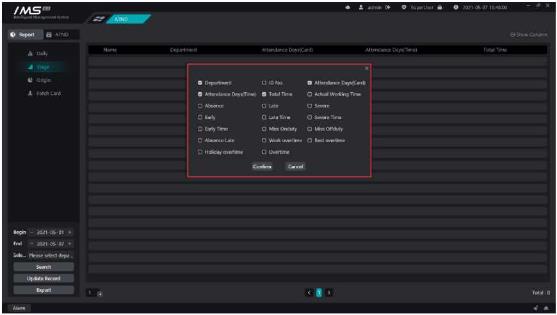
Figure 9-10


