X Operation steps:
Add departments:
(1)the mouse covers the department node.
(2)Click [+Open the add department page, as shown in figure 3-2.
(3)enter the name of the department.
(4) Click [OK].
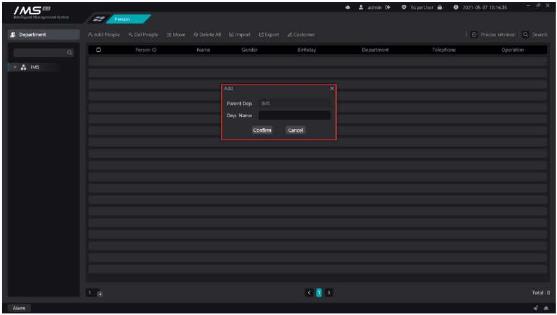
Figure 3-2
.
£ Note:
The name of the subdepartment under the same department cannot be duplicated.
The department name cannot be longer than 24 characters.
The department name cannot be empty.
Change the name of the department.
X Operation steps:
1enter the personnel management page.
2click the button [Ei] on the department node to open the edit window, as shown in figure 3-3.
3enter a new department name.
4click [OK] to save.
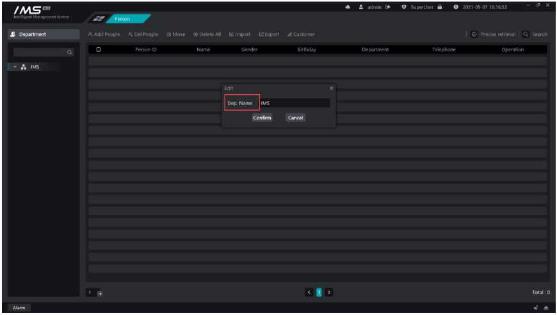
Figure 3-3
.
£ Note:
The name of the subdepartment under the same department cannot be duplicated.
The department name cannot be longer than 24 characters.
The department name cannot be empty.
Remove the department from the IMS 4.0 management system.


