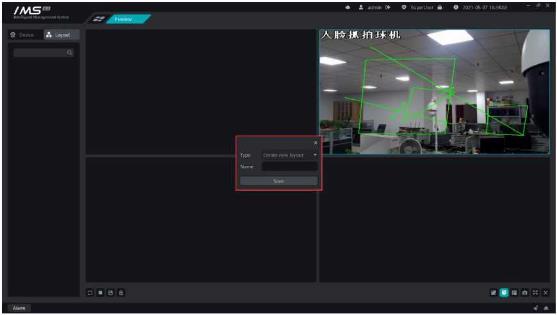
X Operation steps:
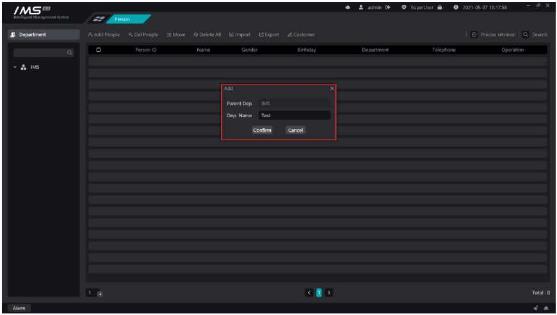
Figure 3-4
.
£ Note:
When deleting a department, you must ensure that the personnel information under this department or all subdepartments under this department has been emptied.
Add personnel information to the IMS 4.0 management system.
X Operation steps:
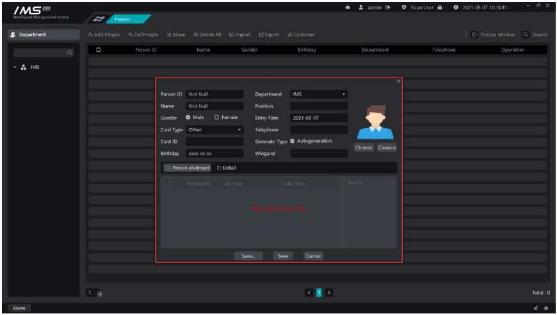
Figure 3-5
.
£ Note:
Personnel number, department, name can not be empty, personnel number can not have spaces.
When the type of document is a resident ID card, the document number is also required.
You cannot set access control settings when you do not have a picture set.
The person number must be a unique value.
The entry date and the date of birth must be in the format of XXXX-XX-XX.
You can’t set access control settings without setting the avatar.
Adding a face picture can be clipped from a locally selected picture, or a local camera can be turned on to capture it.
X Operation steps:
Click [Select] to open the avatar cutting page, as shown in figure 3-6.
Click [Select] to select the face picture locally, then zoom in and out the cut box, and click [OK].
Click [camera] to turn on the camera on the local computer for capture, and place the capture picture in the clipping box to cut.


