Step Three::Change [Name] and [Company],click【Next】, see Figure 2-2:
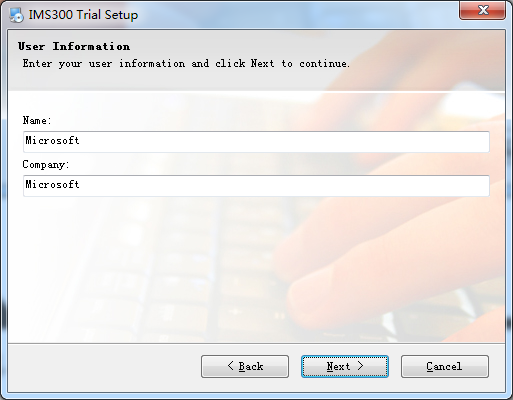
Figure 2-2
Step Four:Select installation path, the default path is:C:\Program Files (x86)\IMS300), then click【Next】, see Figure 2-3 :
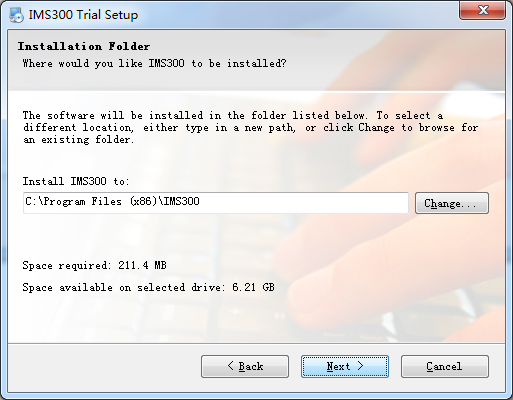
Figure 2-3

Survelliance CMS and VMS Support

Step Three::Change [Name] and [Company],click【Next】, see Figure 2-2:
Figure 2-2
Step Four:Select installation path, the default path is:C:\Program Files (x86)\IMS300), then click【Next】, see Figure 2-3 :
Figure 2-3